 Volma
 Volma Podcasting · powered by Cue
Start your podcast. Everything you need is in one place.
Record in your browser, edit on a timeline, get your titles scored and keep your guests straight. Built for the person doing it for the first time.
No sign-up for the sample. A made-up show you can click around in.
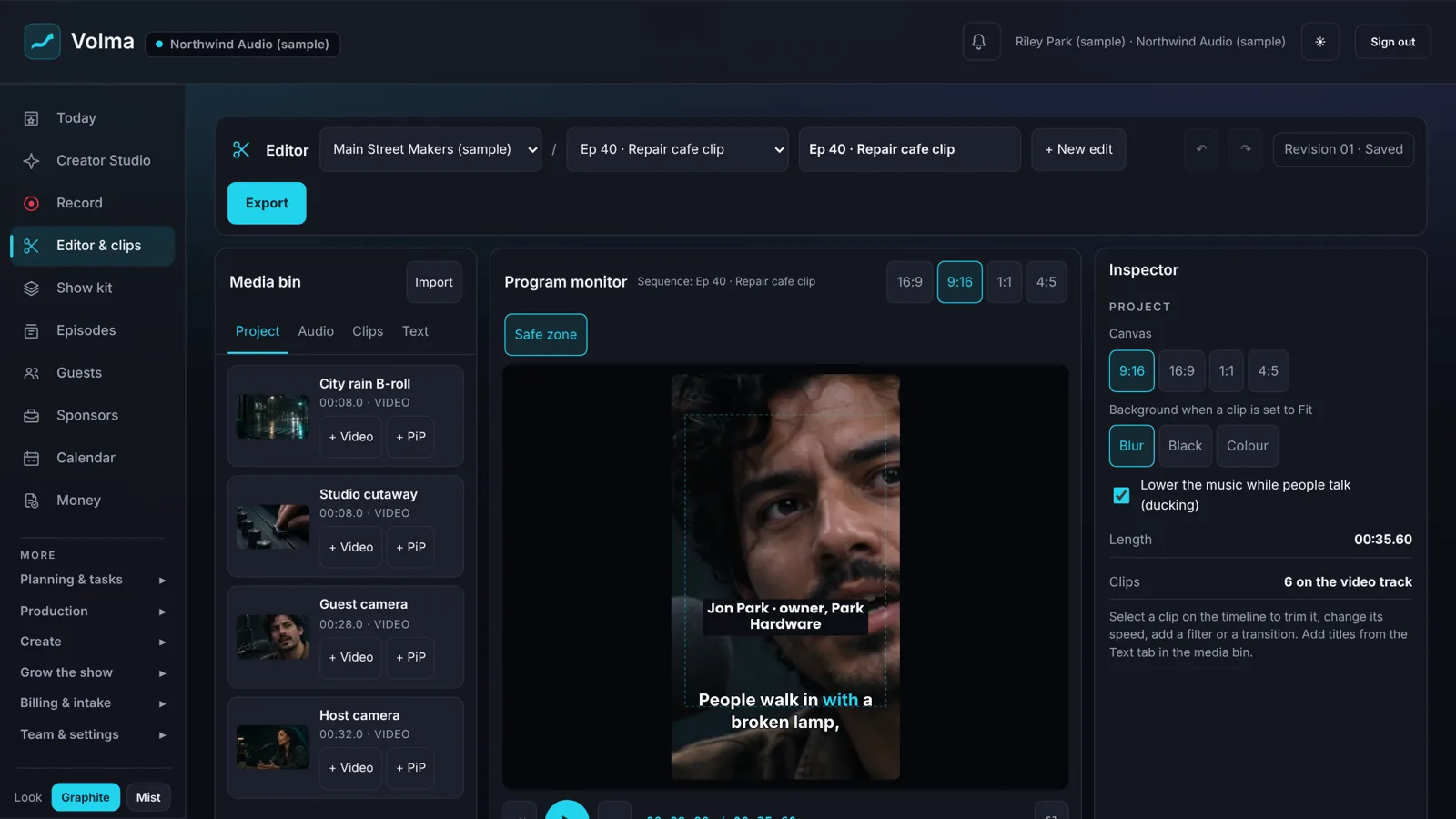
Everything for your show, in one place.
Volma Podcast Studio
Record, edit, package, publish and grow, with Cue telling you straight what's working.
See the plans →Hosting
Your feed, your show page, ad spots and download counts, on the same screen as the episode board.
See hosting →Podcast consulting
One-on-one help with your show from Joe Steagall, host of The MiddleGround Mic.
Ask about consulting →Your first episode, in five steps.
You don't need to know the words for any of this yet. Each step is one screen.
Name your show
Add the show, who hosts it and who it's for. Everything after this is kept per show.
Record
Open the recording studio in your browser. You see your camera and your mic level before anything records.
Cut it
Trim the start and the end, split out the slow parts, add a title, music and captions.
Title and package it
Cue scores your titles and shows the reasons, then writes the posts for each platform from your own words.
Publish
Publish from the episode board. Volma hosts the show and gives you the feed for Apple Podcasts and Spotify.
Every screen here is in the sample.
These are pictures of the product itself, not mock-ups. Open the sample and you'll find the same screens.
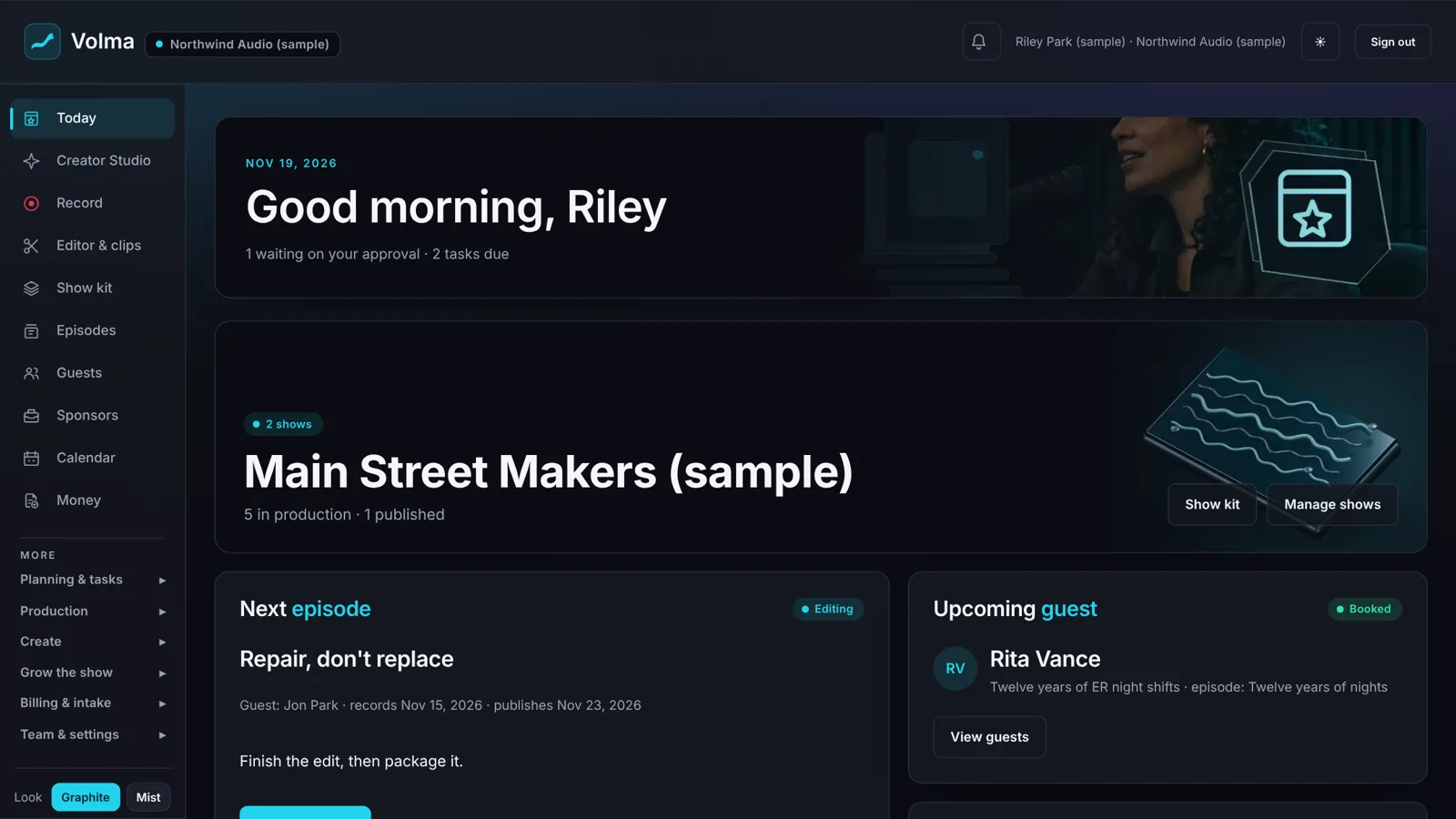
One screen tells you what's next.
Open Volma and you see the next episode, its next step, the guest who's booked and the sponsor reads that are due. No spreadsheet to keep up.
Edit on a timeline, not in a manual.
Drag clips in, split them, trim the edges, add a transition. Picture-in-picture, titles, music that drops under your voice, and export in vertical, square or wide.
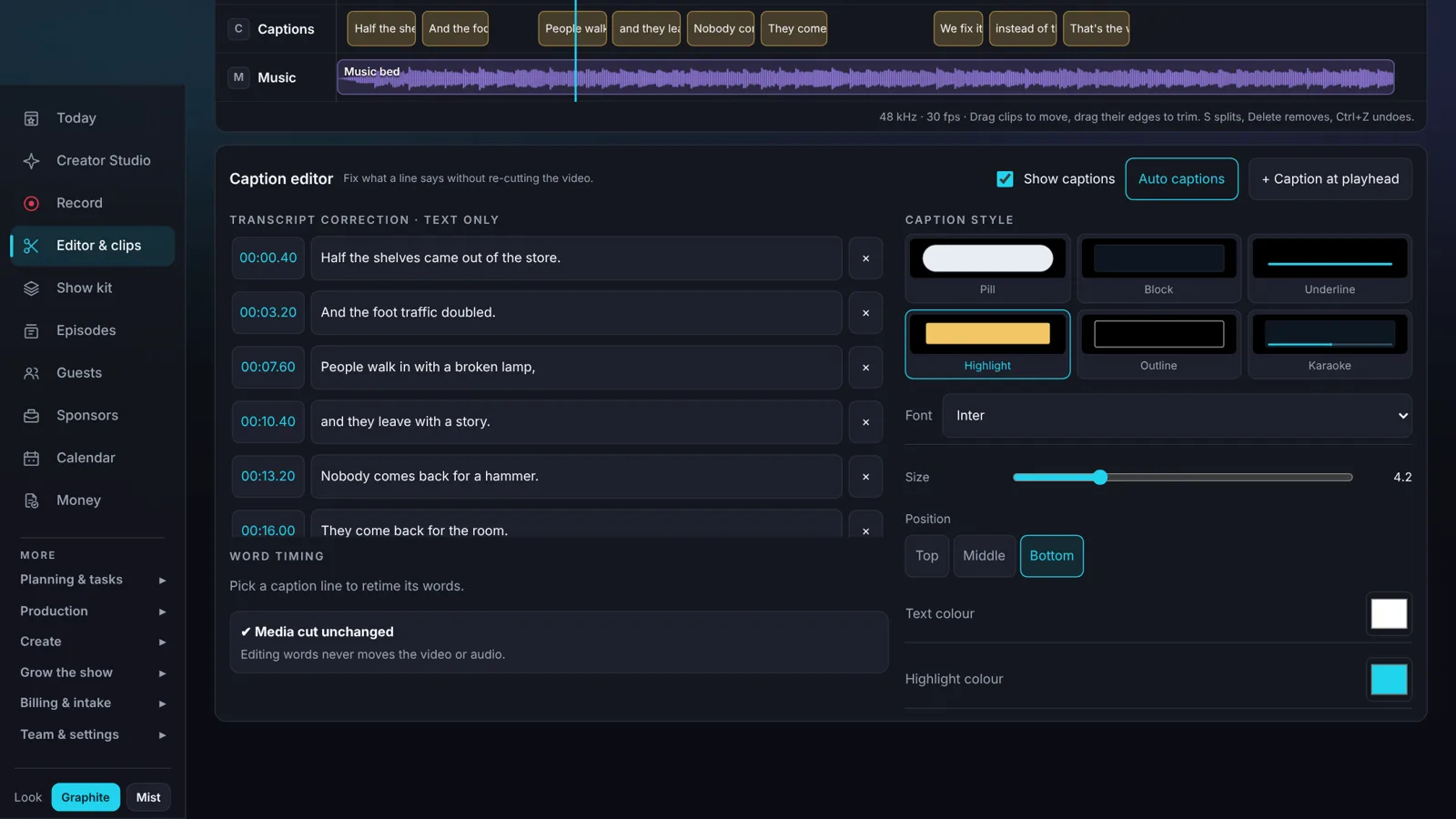
Captions you can fix in plain text.
Six caption styles. Change what a line says without touching the cut, drag a word to retime it, and get a separate caption file with every export.
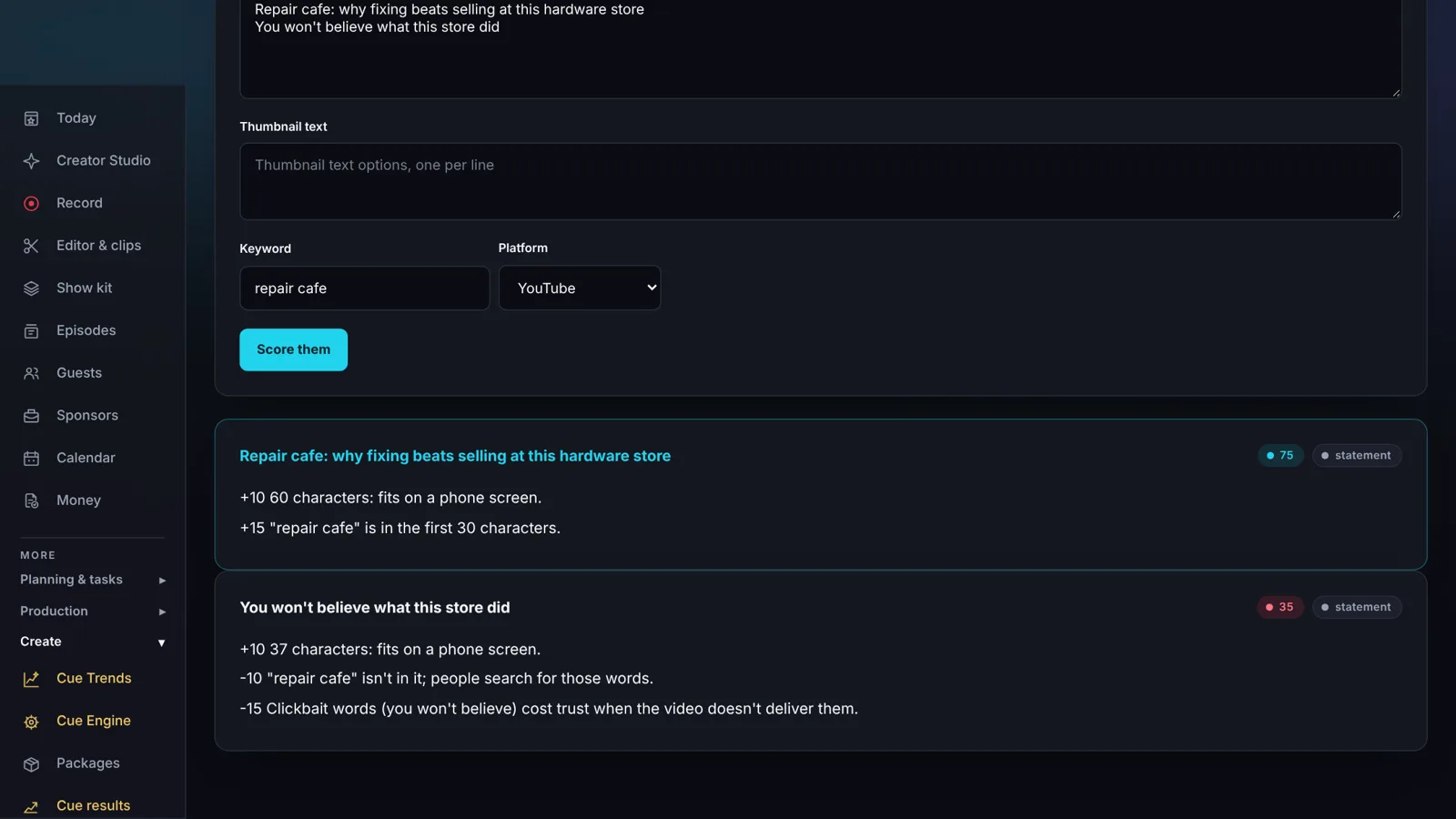
Titles scored, with the reasons.
Type two titles and a keyword. Cue scores each one and tells you why: length, where the keyword sits, and words that cost you trust.
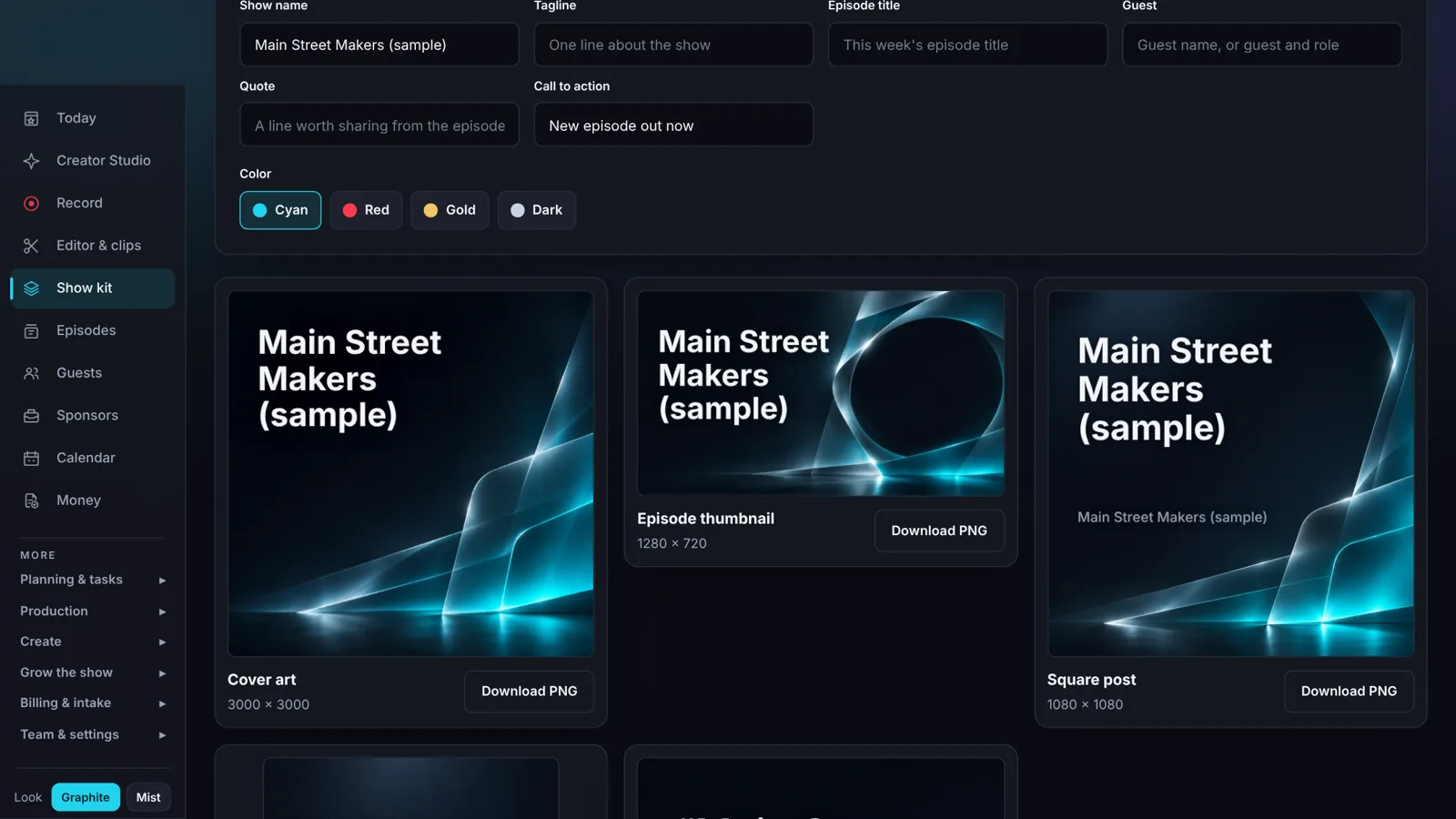
Cover art without a designer.
Type your show name once. Download cover art, a thumbnail, social posts, a story, a quote card and a banner, all in one matching look.
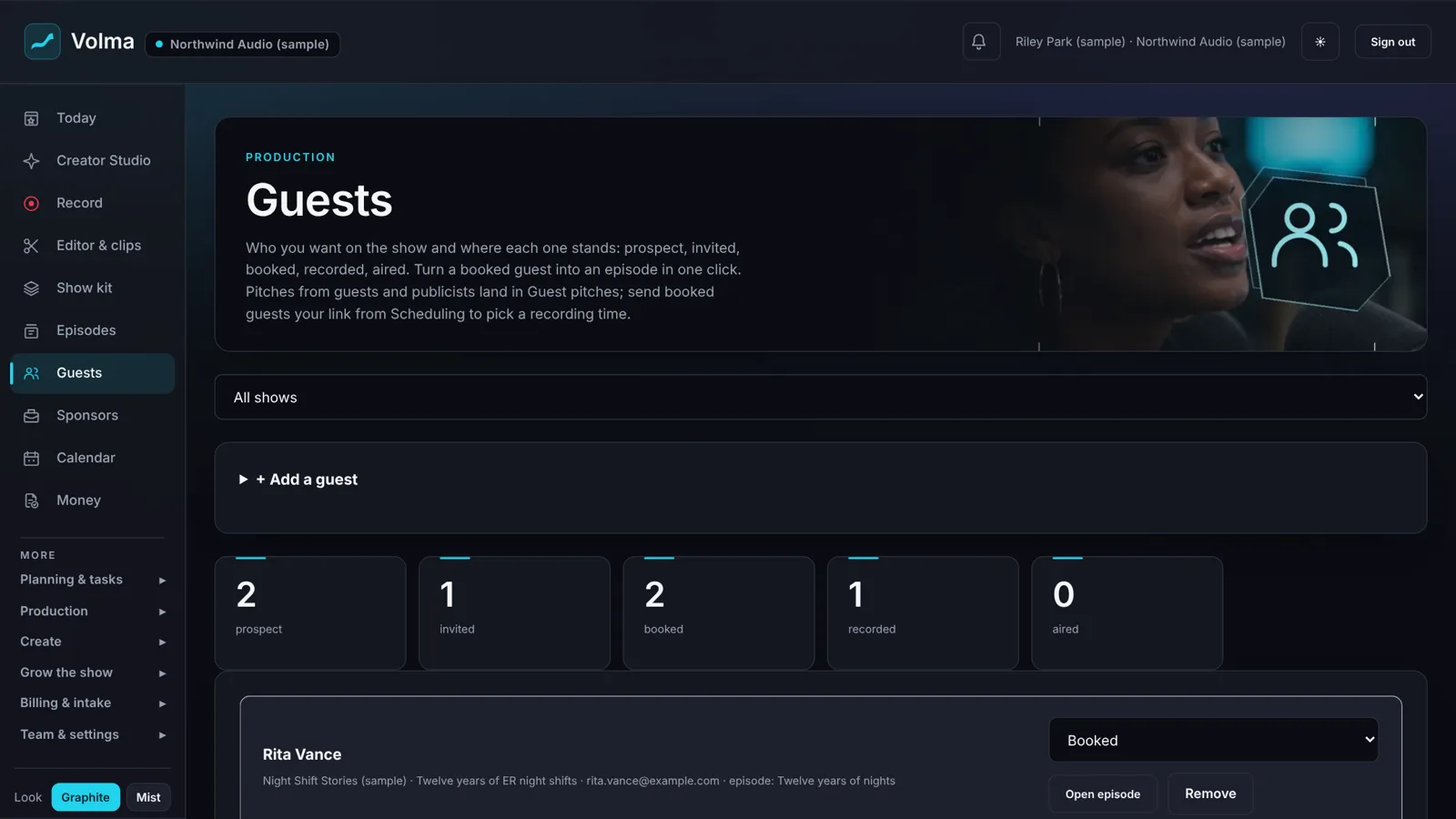
Keep people straight.
Every guest from prospect to aired on one board. Booked guests become episodes. Sponsor reads sit on the episode they belong to.
Host the show where the show gets made.
Other hosts store your files. Volma hosts the show, and Cue works on getting it the most exposure it can.
Publish from the episode board
When an episode is ready, publish it without leaving Volma.
Your feed for Apple Podcasts and Spotify
One feed, at an address that never changes.
A page for your show
Your own show page with a player.
Ad spots you control
One before the episode, two during and one after. Choose them per episode.
Download counts you can trust
Counted the IAB compliant way, with known bots left out.
Take your feed with you if you leave
Your show is yours. Point the feed at a new host any time.
Already with another host? Link it once and your upload page opens in one click from the episode board.
Pick the plan that fits your show.
The full studio, the full editor and hosting come with every plan.
Creator
1 person · 1 show
$12/mo
$10/mo billed yearly
- The full studio and hosting
- 10 h recording
- 20 h captions
- 100 GB storage
- 1080p export
Pro
3 people included · 3 shows
$24/mo
$19/mo billed yearly
- The full studio and hosting
- 25 h recording
- 60 h captions
- 200 GB storage
- 4K export
Studio
10 people included
$49/mo
$39/mo billed yearly
- The full studio and hosting
- 60 h recording
- 200 h captions
- 500 GB storage
- 4K export
One person, one show, everything in one place.
You make the show. Cue tells you straight what's working.
What you get
- The recording studio and the full editor
- Captions, clips and cover art
- Cue: what to talk about, your titles scored, every post graded
- A launch plan and a coach for your show

You make the show. I tell you the truth about what's working.
Someone who makes a show, helping you with yours.
One-on-one help from Joe Steagall, host of The MiddleGround Mic and founder of MiddleGround Media Network.
What to bring
- Where the show is now and where you want it
- What you've tried
- The part that's taking the most of your time
If you're new to this.
Do I need special equipment?
No. A laptop or phone with a camera and microphone is enough to start. Wear headphones when you record with a guest so their voice stays out of your microphone.
Do I have to download anything?
No. Recording and editing run in your browser. A guest joins with a link and types their name.
I've never edited video. Can I use this?
Yes. The sample opens on a finished edit so you can press play, click a clip and see what each control does before you make your own.
Does Volma host my podcast?
Yes. Publish from the episode board and Volma gives you the feed for Apple Podcasts and Spotify, at an address that never changes, plus a page for your show with a player. Already with another host? Link it once and your upload page opens in one click.
What does it cost?
The full studio with hosting starts at $12 a month for one person and one show. The full editor is in every plan. Every plan is on this page.
Can I try it before I talk to anyone?
Yes. The sample studio opens with no sign-up. It's a made-up show with made-up data, and it deletes itself after three hours.
How do I get my own account?
Use the sign-up box on this page. Your account is set up for you and your login link comes by email.
Open the sample and press play.
It opens on a finished edit. Click a clip, change a title, export it.